GDML rendering example (ODD)
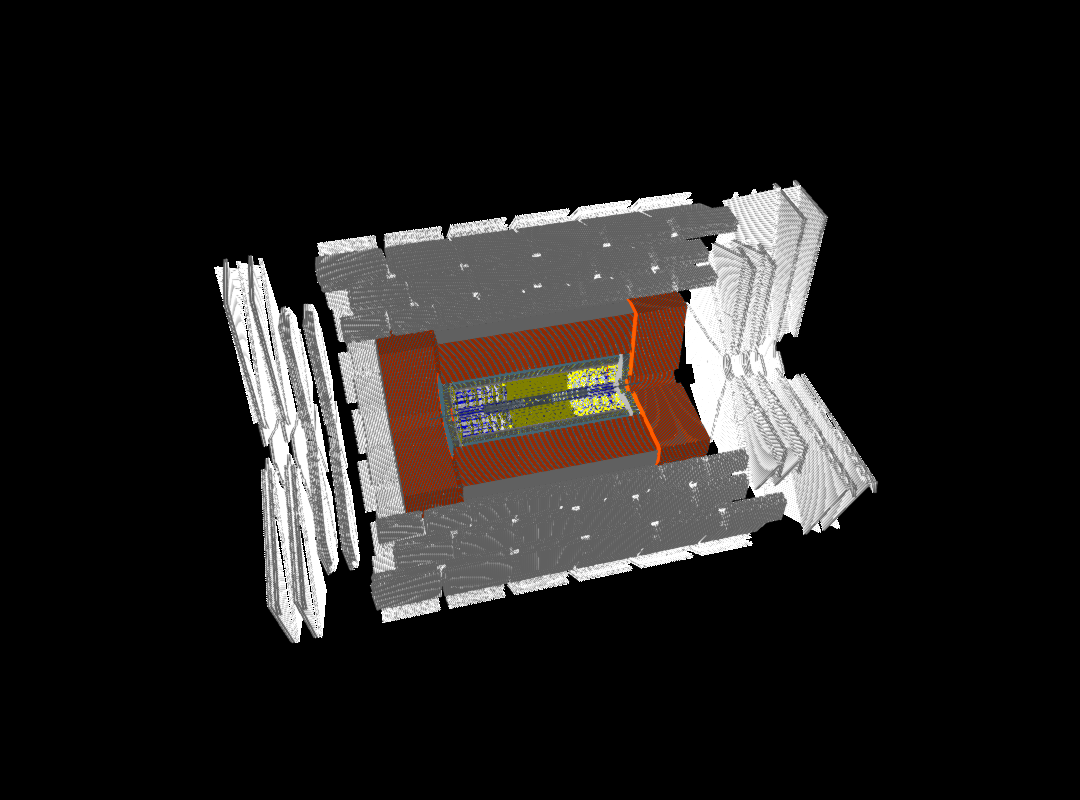
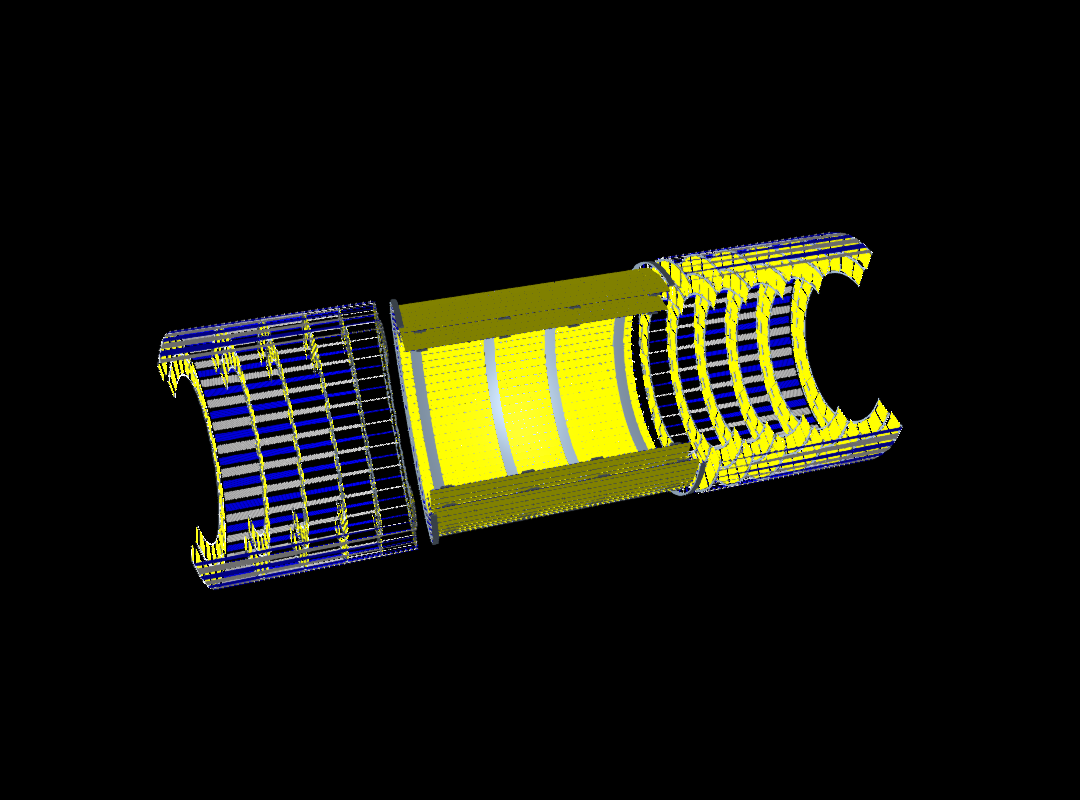
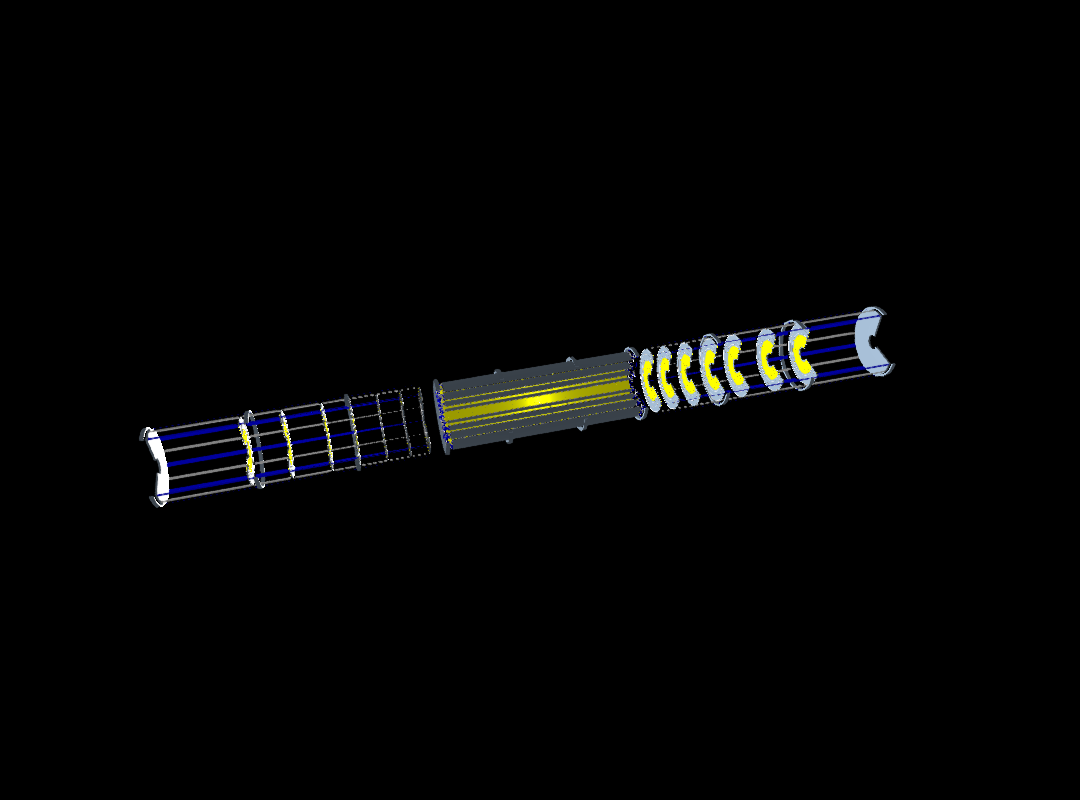
In this example we demonstrate how to render detector geometries from a GDML file in Geant4. The example uses the OpenDataDetector model and renders a number of logical volumes to a PNG image. The rendering is done using the GLMakie backend of the Makie.jl graphics library.
You can also download this example as a Jupyter notebook and a plain Julia source file.
Loading the necessary Julia modules
Geant4andGeant4.SystemOfUnitsfor the Geant4 interface and unitsGLMakiefor the OpenGL-based rendering backend of Makie
using Geant4
using Geant4.SystemOfUnits
using GLMakie
Set the number of rotation steps for polyhedra to get smoother meshes
HepPolyhedron!SetNumberOfRotationSteps(64)
set_theme!(backgroundcolor = :black)
Create the detector geometry from a GDML file
The function G4JLDetectorGDML reads a GDML file and creates the corresponding Geant4 geometry. The validate_schema=false option is used to skip GDML schema validation for faster loading.
detname = "OpenDataDetector"
detector = G4JLDetectorGDML("$(@__DIR__)/$(detname).gdml"; validate_schema=false);
G4GDML: Reading '/home/runner/work/Geant4.jl/Geant4.jl/docs/src/examples/OpenDataDetector.gdml'...
G4GDML: Reading definitions...
G4GDML: Reading materials...
G4GDML: Reading solids...
G4GDML: Reading structure...
G4GDML: Reading setup...
G4GDML: Reading '/home/runner/work/Geant4.jl/Geant4.jl/docs/src/examples/OpenDataDetector.gdml' done!
Stripping off GDML names of materials, solids and volumes ...
Get the logical volumes to render
odd     = GetVolume("world_volume")[]
lstrips = GetVolume("LongStrips")[]
pixels = GetVolume("Pixels")[]Geant4.G4LogicalVolumeDereferenced(Ptr{Nothing}(0x000000006fa487e0))Create and render scenes
- You can adjust the
maxlevelkeyword argument in thedraw!function to control the level of detail in the rendering. - The
clipkeyword argument can be used to apply clipping planes to the geometry for better visibility of internal structures. In this example, we useclip=:xyto clip along the X=0 and Y=0 planes. Other possible values are:x,:y,:zfor single-plane,:xz,:yz,:xyzclipping for double and triple planes, and:nonefor no clipping. - Lighting options and camera position can be adjusted. See the
LightingandCamera3Ddocumentation of Makie.
for lv in (odd, lstrips, pixels)
  lvname = GetName(lv) |> String
  println("Drawing logical volume: $lvname")
  fig = Figure(size=(1080, 800))
  ax = LScene(fig[1, 1]; show_axis=false, scenekw=(;
      lights=[ PointLight(RGBf(1, 1, 1), Vec3f(1, 1, 0)),
               DirectionalLight(RGBf(1, 1, 1), Vec3f(1, 1, 1) ),
               AmbientLight(RGBf(.5, .5, .5)),
             ]))
  Camera3D(ax.scene, upvector=Vec3f(0, 1, 0), eyeposition=Vec3f(8m, 8m, 2m), lookat=Vec3f(0, 0, 0))
  draw!(ax, lv; maxlevel=7, clip=:xy);
  #display(fig)
  save("$(detname)_$(lvname).png", fig)
end
Drawing logical volume: world_volume
Collecting LV meshes with clip=xy...
60.666903 seconds (429.55 M allocations: 19.964 GiB, 29.21% gc time, 6.10% compilation time)
Drawning 172553 meshes with total of 50547542 points in 9 steps.
69.338161 seconds (275.07 M allocations: 211.104 GiB, 35.29% gc time, 5.24% compilation time)
Drawing logical volume: LongStrips
Collecting LV meshes with clip=xy...
11.702632 seconds (91.62 M allocations: 4.290 GiB, 32.41% gc time)
Drawning 48779 meshes with total of 10514826 points in 6 steps.
15.328593 seconds (59.82 M allocations: 44.541 GiB, 37.44% gc time)
Drawing logical volume: Pixels
Collecting LV meshes with clip=xy...
3.227450 seconds (20.67 M allocations: 1.162 GiB, 4.95% gc time)
Drawning 16103 meshes with total of 3000736 points in 6 steps.
21.325936 seconds (22.47 M allocations: 12.723 GiB, 80.22% gc time)
Show the resulting images
CMS detector rendering
Tracker (long strips) rendering
Pixels rendering
This page was generated using Literate.jl.